Content Pedagogy | LSTE 7304 | Assessing/Evaluating, Ethics
Storyboarding
Hello, World!
Storyboarding is a foundational step in bringing any narrative to life, serving as the visual blueprint that bridges raw imagination with structured execution. Developing effective training materials demands a strategic blueprint validated by cognitive science. Here is a look at the storyboarding process, from initial concept to pedagogical assessment.

Conceptualizing the Learning Experience
The foundational step of instructional design is defining the learning goals and target audience. For this project, a lesson was conceptualized around Dungeons and Dragons character creation to teach storytelling and statistical generation. Designed for novice players, the objective was to simplify complex game mechanics into accessible, engaging modules.
Explanation about choosing D&D, and how the Lgs, TA, and LS were decided on
-
By the end of the lesson, the learner will be able to…
1. Understand the value of character creation from a storytelling perspective
2. Use a variety of appropriate stat generation methods for character creation
3. Accurately fill out the D&D character sheet
4. Understand methods of creating character backstory
5. Identify alternative character creation aids
-
The target audience for this assignment will be anyone who desires to create a good
story. The content will be accessible to anyone but will be most beneficial for people who are
interested in playing the table-top role-playing game Dungeons and Dragons. This lesson can
be framed as something for use in game stores and homes as a means of assisting players with
little to no knowledge of the fundamentals of the game and therefore will be simplified to suit
players of all ages and backgrounds.
-
I have chosen to use character creation in Dungeons and Dragons for multiple
reasons. The first is that I love the game, and it is very important to me personally. This makes it
worth my time. It also will provide practical relevance in that I could use the lesson in the future
when engaging with new players. The root of the game is storytelling and creating a narrative
through collaborative challenges. Creating a character is very personal to each player.
This lesson will help the learner to understand why character creation is fun as well as
fundamental to the makeup of the game. It will cover the technical aspects of how to generate
character statistics using numerical values and dice rolling. Interactive elements of the lesson
will help the learner understand how to read and use a character sheet to keep all of their
3
creating information together in the same place. There will also be examples of character
backstories that the learner will be able to refer to in their own creation. The lesson will also
provide other tools that can be referenced to help enhance the learner’s experience in creation
such as name generators, random stat tables, and image generators.
Structuring the Storyboard
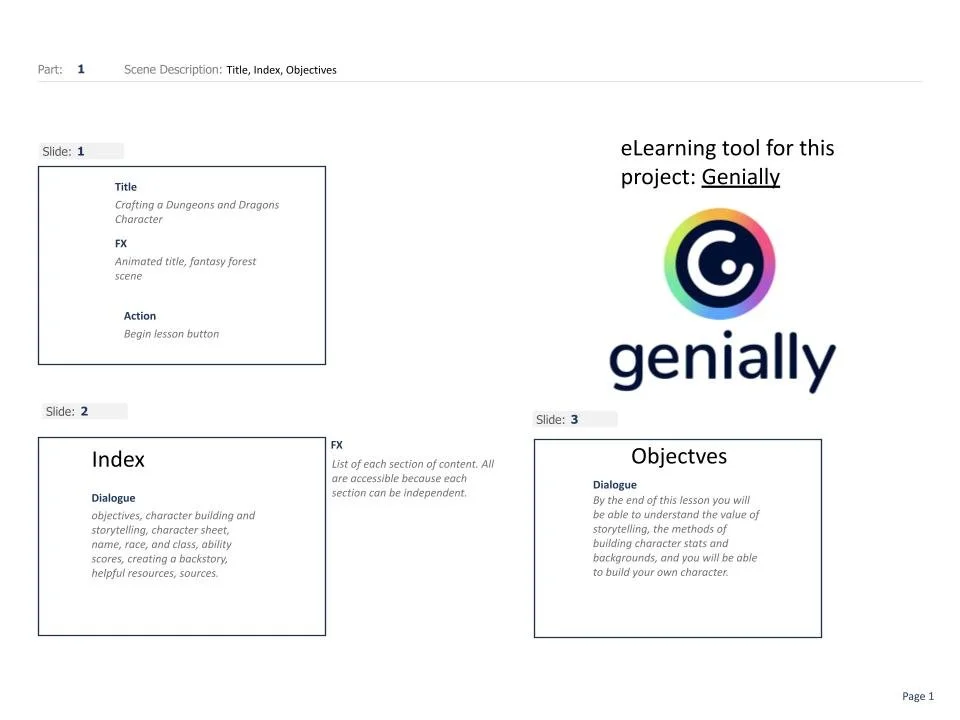
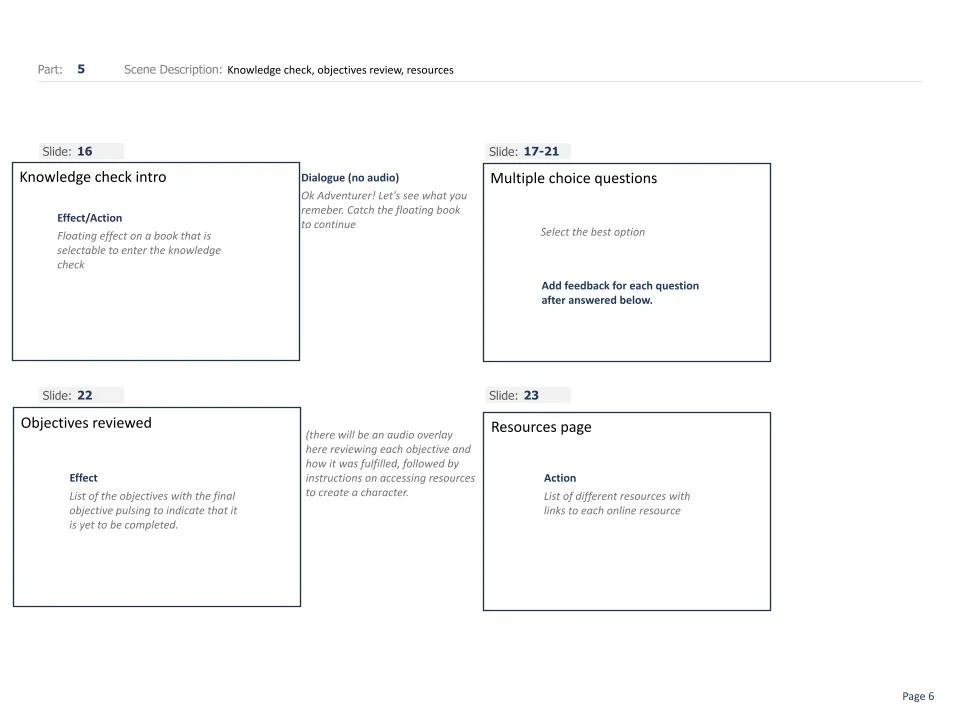
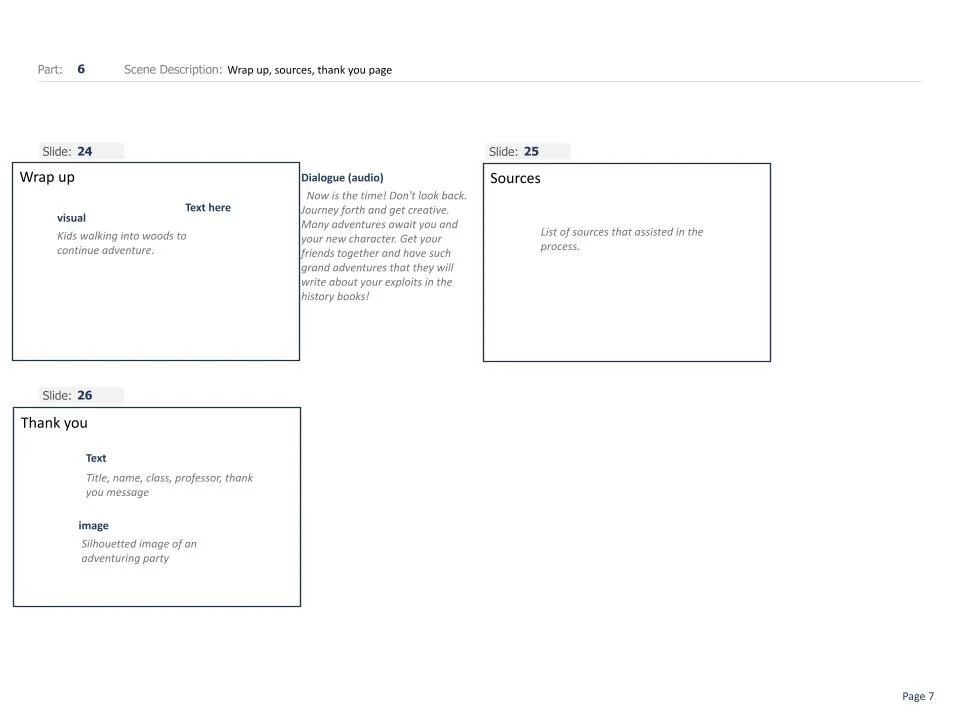
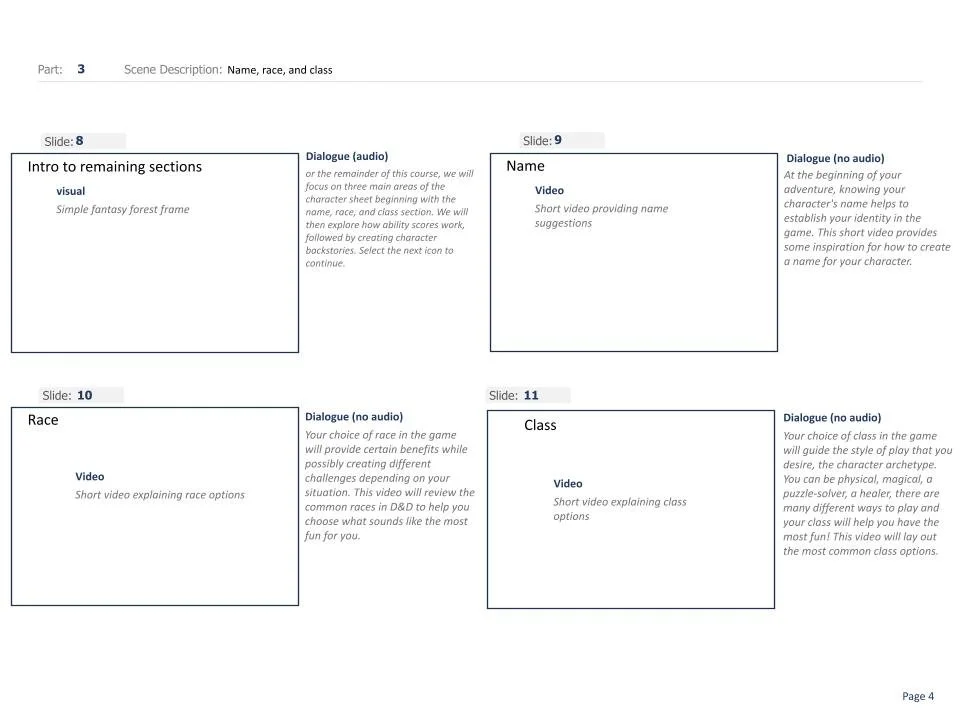
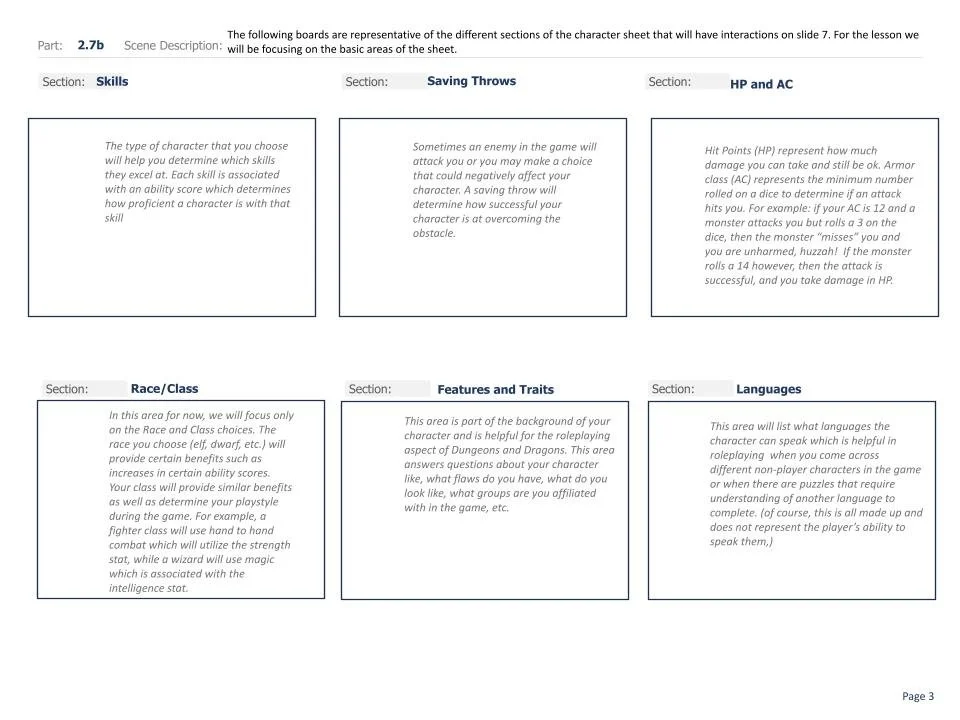
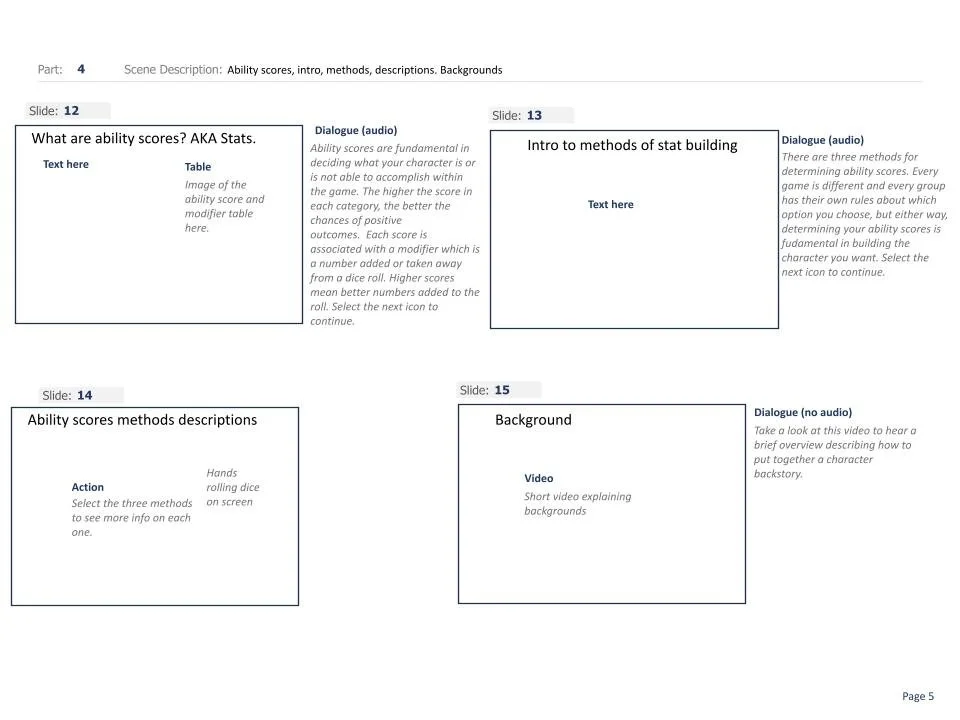
Before development in an authoring tool like Genially, a comprehensive storyboard maps out the visual and auditory flow. The sequence outlines specific scenes, such as introducing character sheets, defining race and class benefits, and concluding with interactive knowledge checks. This blueprint ensures every graphic, dialogue prompt, and user action serves a distinct educational purpose.

Assessment and Revision
Refining and evaluating instructional materials requires integrating core cognitive science principles—such as the Multimedia, Contiguity, Modality, Redundancy, Coherence, and Personalization principles. Systematically reviewing a storyboard against these evidence-based guidelines optimizes cognitive load, eliminates distractions, and ensures that the learning design maximizes retention and comprehension for every learner.
Example Assessments
-
The multimedia principle was utilized most heavily in slides 5, 7, and 8. The graphs on slide 7 are particularly helpful representations of information that was otherwise words on a page. I optioned for clickable icons on the image on slide 8 with audio descriptions, though I neglected to indicate that the name of the area on the image would need to be in text for visual representation. This leads me to my next point.
-
The image on slide 8 will need to have text acting as a legend of sorts. When each area is interacted with, the area should show the word. Overall the contiguity principle is applied effectively though sparingly as audio is more heavily utilized to describe and define elements than text, fulfilling the modality principle.
-
Much of this lesson is technical in its scientific nature and when working with novices, audio cues will be more helpful when attached to images and graphs than written text. Slides 4, 5, 7, and 8 utilize audio to narrate what is happening on the screen. I did not specify on slide 7 that audio would be used to translate the chart which will need to be amended.
-
All of the pages on this lesson were designed with simplicity in mind. I made every attempt to stay away from unnecessary clutter, especially as the content is highly technical. The images are purposeful and not particularly extemporaneous.
-
The audio for the narration will sound friendly but it is not stated in the storyboard and I will make that adjustment. Also I will need to adjust the main title page which indicates for the learner to “click to continue.” It is rather direct and impersonal. Maybe something like “Click here to explore the lesson” would be more inviting which can allow for more openness for the learner.
Creating the product
Once the storyboard is complete, the next stage of the process is to begin creating the product. Using all of the assets, methods, and ideas outlined in the storyboard something awesome can be created
This needs the genially embed code